



Rear-Door Heat Exchangers for AI Data Centers: How RDHx Cooling Works & When to Use It
Article Summary
Rear-door heat exchangers (RDHx) remove heat from hot server exhaust at the rack instead of relying entirely on room-level cooling.
RDHx can be a practical way to support higher-density AI and GPU racks, particularly when existing servers are still primarily air-cooled.
The right choice depends on rack density, facility cooling infrastructure, retrofit requirements, and whether the deployment is better suited to RDHx, direct-to-chip, or another liquid-cooling architecture.
What if your AI servers are generating more heat than your data center was designed to handle?
That is becoming a real infrastructure question as GPU-heavy AI workloads push rack power and thermal density higher.
Traditional data centers largely depend on room-level air conditioning to move heat away from servers. But when increasingly dense GPU systems are concentrated in a rack, simply adding more room cooling may not be the most practical answer.
That's where a Rear-Door Heat Exchanger (RDHx) comes in.
For companies planning or upgrading AI infrastructure, Exeton provides AI compute infrastructure, system integration, and data-center services that can help evaluate the relationship between compute hardware and facility requirements.
But first, what exactly does an RDHx do?
What Is a Rear-Door Heat Exchanger?
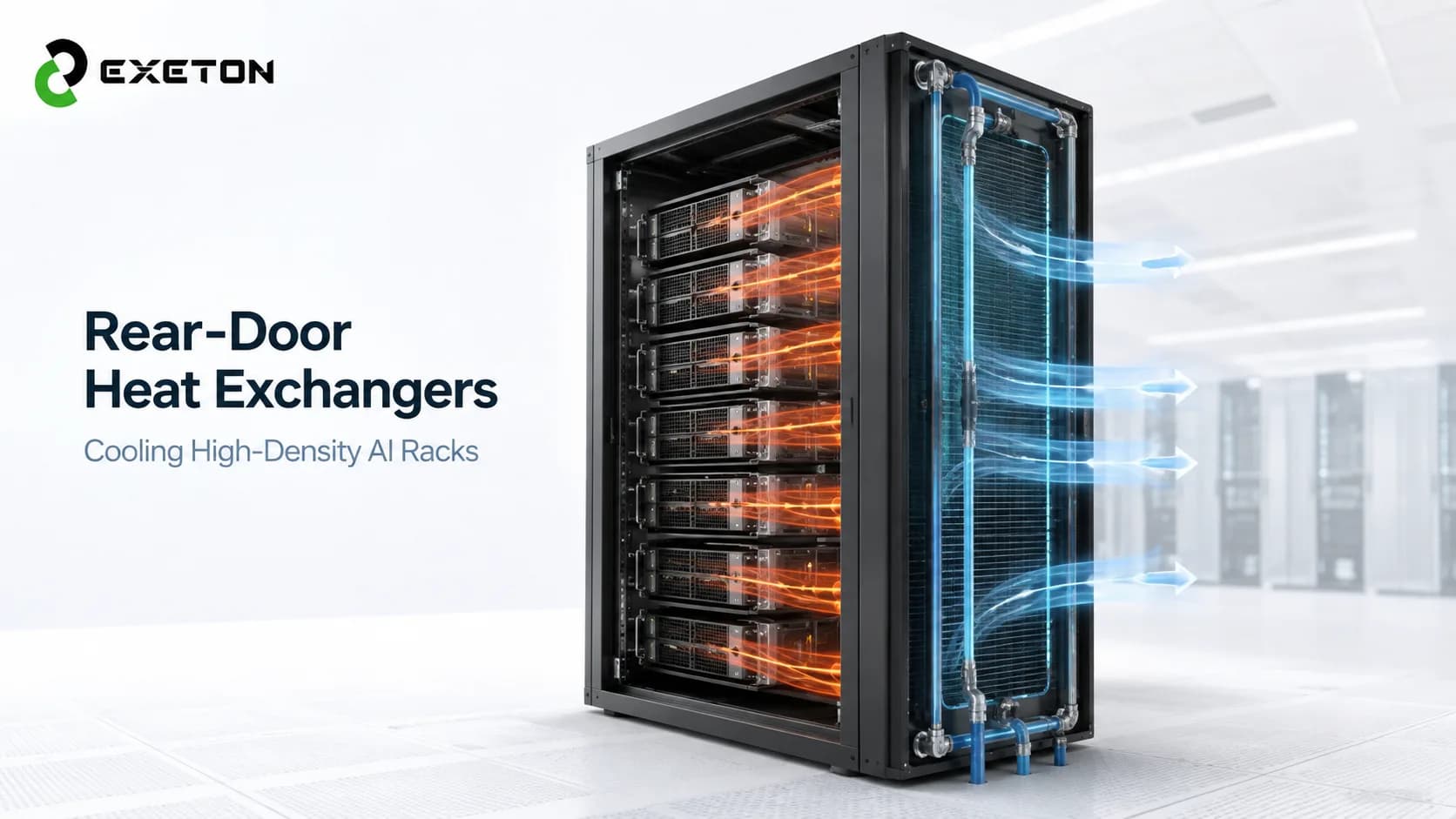
A rear-door heat exchanger is a liquid-to-air cooling system mounted on the back of a server rack. It captures heat from the hot air leaving the servers and transfers that heat into a liquid cooling loop before the air returns to the data-center room.
Think of it as a cooling layer positioned directly where the heat leaves the rack.
Instead of:
Server → hot air → data-center room → room cooling system
the process becomes:
Server → hot exhaust → RDHx → liquid loop → heat rejection
This approach allows the data center to remove heat closer to its source.
How Does RDHx Cooling Work?
The basic process is relatively straightforward:
GPUs and CPUs generate heat while processing workloads.
Server fans move air through the equipment.
Hot exhaust air exits toward the rear of the rack.
The air passes through the RDHx heat exchanger.
A liquid flowing through the exchanger absorbs the heat.
The cooled air returns to the data-center environment while the liquid carries the heat away.
Some RDHx systems are passive, relying on existing server airflow, while active versions use additional fans to move air through the heat exchanger.
The important distinction is that RDHx doesn't cool the GPU directly. It cools the hot air leaving the server.
Why Is RDHx Relevant to AI Data Centers?
AI training and inference systems can concentrate substantial computing power into relatively small spaces. As rack density increases, the amount of heat that has to be removed from each rack increases too.
NVIDIA's data-center cooling guidance, for example, describes RDHx as an air-assisted liquid-cooling approach for high-density deployments, with active rear-door systems capable of reaching around 80 kW in the referenced architecture.
Actual capacity varies significantly by RDHx design, rack configuration, airflow, and facility infrastructure. Some commercial systems span substantially wider ranges; Supermicro, for example, lists RDHx products from 10 kW to 120 kW.
The takeaway is simple: RDHx can move cooling from the room level toward the rack level, making it easier to manage concentrated heat.
When Should You Use a Rear-Door Heat Exchanger?
RDHx is particularly worth evaluating when:
Rack power density is exceeding what conventional air cooling can comfortably support.
Existing servers are still primarily air-cooled.
You want higher rack density without replacing every server.
A full direct-to-chip or immersion deployment would involve more infrastructure changes than you want at this stage.
The facility can provide the required liquid supply and heat-rejection infrastructure.
You are upgrading an existing data center rather than building an entirely new liquid-cooled facility.
This is one reason RDHx is often considered for retrofit and hybrid cooling projects. AMD's data-center design guidance describes RDHx as an incremental upgrade path for existing air-cooled environments and hybrid deployments.
When Might RDHx Not Be the Right Choice?
RDHx isn't automatically the answer for every AI rack.
For extremely high-density systems, direct-to-chip liquid cooling may be more appropriate because coolant is brought directly to cold plates attached to the processors.
RDHx still depends on air moving through the server, so it has a practical thermal ceiling. Direct-to-chip systems can remove heat at the component level rather than waiting for that heat to enter the server's exhaust airflow.
The facility also needs to support the liquid infrastructure, including piping, flow control, monitoring, and appropriate heat rejection.
So the question isn't simply “Is RDHx better?”
It's:
“Does rack-level exhaust cooling match the density and infrastructure of this deployment?”
RDHx vs Traditional Air Cooling vs Direct-to-Chip Cooling
Factor | Traditional Air Cooling | RDHx | Direct-to-Chip |
Cooling point | Room/server airflow | Rack exhaust | CPU/GPU |
Cooling medium | Air | Air + liquid | Liquid |
Rack-density potential | Lower | Higher | Very high |
Server modification | Usually low | Usually limited | Can require liquid-ready hardware |
Retrofit potential | High | Often attractive | Depends on system |
Infrastructure complexity | Lower | Moderate | Higher |
Typical use | Lower-density workloads | High-density air-cooled racks | Very high-density AI/HPC |
These technologies can also coexist. A facility might use direct-to-chip cooling for the hottest components while using RDHx or other air-side methods to remove remaining rack heat.
For a deeper comparison, see Direct-to-Chip Liquid Cooling for AI Data Centers: How It Works, Costs, Benefits & Deployment Guide.
Can RDHx Be Used to Retrofit an Existing Data Center?
Yes, but retrofit feasibility needs to be evaluated at the facility level.
Key considerations include:
Rack dimensions and structural capacity
Server airflow direction
Rack power and heat density
Available chilled-water or liquid infrastructure
Pumping and flow requirements
Heat-rejection capacity
Leak detection and monitoring
Condensation control
Maintenance access
Future GPU and rack-density plans
AMD specifically highlights rack compatibility, leak management, and monitoring of flow, temperature, and pressure as important considerations in RDHx deployments.
If you're evaluating an existing facility, the related guide How to Retrofit an Existing Data Center for AI & Liquid Cooling: Power, Cooling, Rack Density & Infrastructure Guide provides the broader infrastructure context.
What Should You Check Before Deploying RDHx?
A practical assessment should look at four areas.
Rack:
Can the rack accommodate the RDHx? What is the actual IT load and airflow?
Cooling:
Is there enough liquid capacity and heat-rejection capability? What supply and return temperatures are required?
Facility:
Can piping, monitoring, leak detection, redundancy, and maintenance access be integrated safely?
Future growth:
Will today's cooling architecture still support tomorrow's GPU configuration?
That last question matters because AI infrastructure can evolve quickly. Designing only for the current rack may create another cooling bottleneck during the next hardware refresh.
RDHx vs Immersion Cooling: What's the Difference?
RDHx removes heat from server exhaust air using a liquid-cooled heat exchanger attached to the rack.
Immersion cooling takes a fundamentally different approach by placing compatible IT components in a dielectric cooling fluid.
In practical terms, RDHx can preserve a more conventional server-and-rack architecture, while immersion represents a larger change to the IT cooling environment.
For a deeper comparison, see Immersion Cooling for AI & GPU Data Centers: Single-Phase vs Two-Phase Explained.
Is RDHx Cooling Right for Your AI Data Center?
RDHx is worth evaluating when you have rising rack density, air-cooled servers, and a need to remove more heat without immediately redesigning the entire IT environment.
It may be less suitable when rack densities have moved beyond what air-assisted cooling can practically handle or when the facility is already designed around direct liquid cooling.
For organizations planning AI infrastructure, Exeton works across AI compute systems, data-center infrastructure, system integration, and maintenance. The cooling decision should therefore be considered alongside the GPU configuration, rack design, networking, power, and long-term deployment strategy.
Ultimately, the question isn't simply “Which cooling technology is best?”
It's “Which cooling architecture fits the rack density, workload, facility, and growth plan?”
That is the starting point for building AI infrastructure that can handle today's workloads without creating tomorrow's thermal bottleneck.