



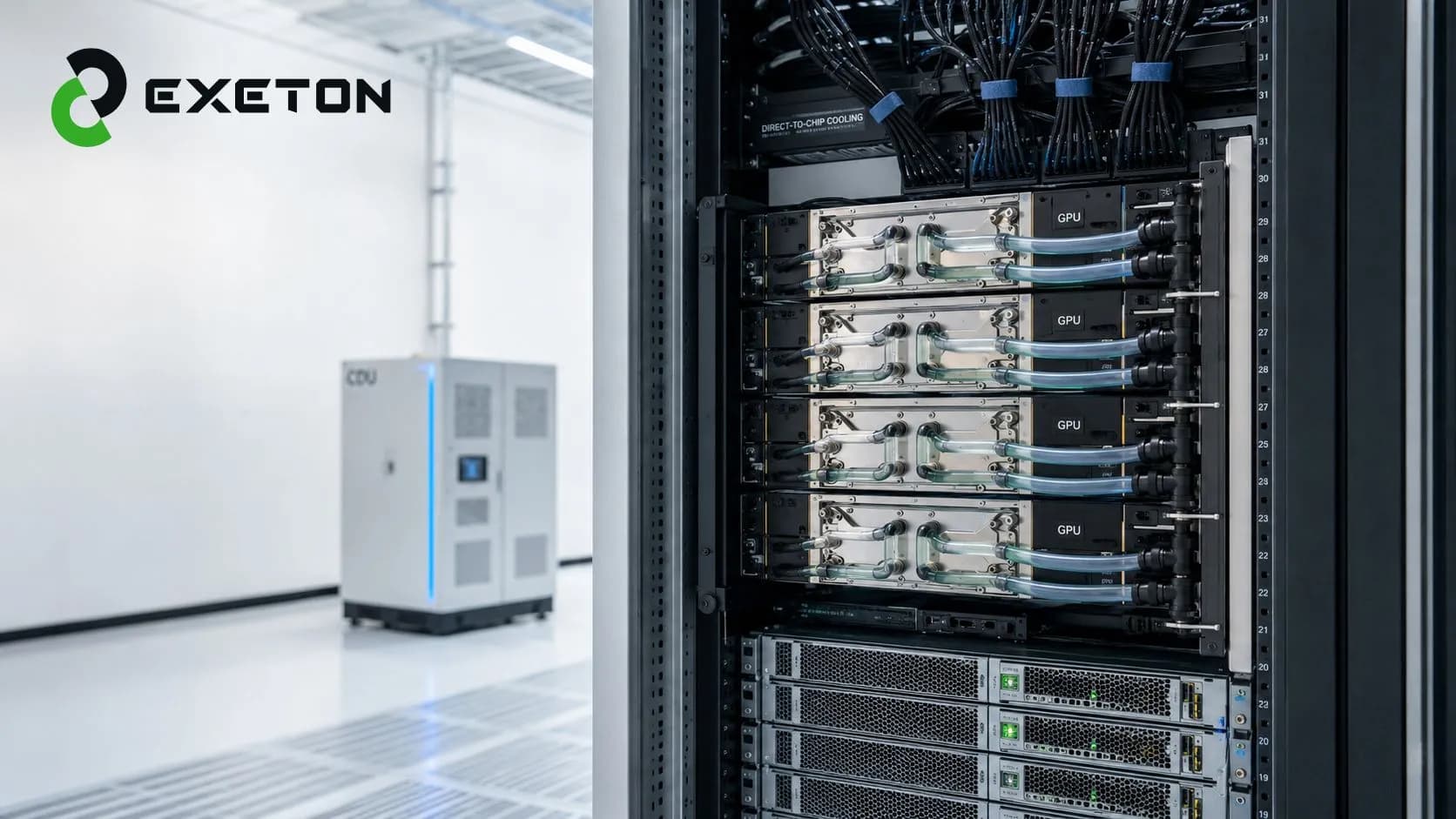
Direct-to-Chip Liquid Cooling for AI Data Centers: How It Works, Costs, Benefits & Deployment Guide
Article Summary
Direct-to-chip (DTC) liquid cooling removes heat directly from high-power GPUs and CPUs using cold plates and a circulating liquid loop.
It enables AI data centers to support higher rack densities while addressing thermal challenges that become harder to manage with air cooling alone.
The cost depends on the complete infrastructure, cold plates, CDUs, piping, facility cooling, monitoring, and retrofit requirements, not just the cooling hardware.
What Happens When Air Cooling Can’t Keep Up With AI GPUs?
A powerful GPU can process enormous amounts of data, but all that compute comes with a less glamorous problem: heat.
As AI servers pack more GPUs into each rack, thermal management becomes an infrastructure issue rather than simply an HVAC problem. Traditional air cooling can work well for many workloads, but extremely dense AI and HPC systems can push it toward its practical limits.
That is where direct-to-chip liquid cooling enters the picture.
For organizations planning high-density AI infrastructure, Exeton approaches cooling as part of the larger compute environment, where servers, GPUs, power, networking, and thermal management need to work together.
What Is Direct-to-Chip Liquid Cooling?
Direct-to-chip liquid cooling is a method of removing heat by placing a cold plate directly against a heat-producing component, typically a GPU or CPU.
Instead of relying primarily on air to carry heat away from the server, liquid flows through the cold plate and absorbs heat close to its source.
In simple terms: the cooling system goes directly to the hottest parts of the server instead of trying to cool the entire room and hoping enough air reaches them.
This makes DTC particularly relevant for high-density AI servers and GPU clusters.
For a broader look at data-center cooling technologies, see our guide to AI data center cooling, liquid cooling, and high-density GPU infrastructure.
How Does Direct-to-Chip Cooling Work?
The basic process is relatively straightforward:
GPU/CPU → Cold Plate → Coolant Loop → CDU → Facility Cooling System
1. The cold plate absorbs heat
A thermally conductive cold plate is mounted onto the GPU or CPU. Heat generated by the chip transfers into the plate.
2. Coolant carries the heat away
Liquid circulating through the cold plate absorbs that heat and moves it away from the server.
3. The CDU manages the cooling loop
A Coolant Distribution Unit (CDU) regulates and circulates the liquid, while managing factors such as flow, temperature, and pressure.
4. Heat moves into the facility cooling system
The heated coolant transfers its thermal energy to another cooling loop or heat-rejection system, allowing the cycle to continue.
The important point is that the cooling system is designed around the actual thermal load of the compute infrastructure.
Why Are AI Data Centers Moving Toward Direct-to-Chip Cooling?
AI workloads are changing the relationship between compute density and cooling.
Training and inference systems can contain multiple high-performance GPUs operating continuously. Put enough of these systems into a rack and the resulting heat load can become difficult to manage efficiently with air alone.
DTC cooling can help organizations address:
Higher GPU and CPU power densities
Increasing rack-level thermal loads
Sustained AI and HPC workloads
Thermal constraints in dense server configurations
Future infrastructure expansion
The decision isn't simply about replacing fans with liquid. It is about designing a cooling architecture that matches the power and density of the compute being deployed.
What Are the Benefits of Direct-to-Chip Cooling?
The biggest advantage is straightforward: liquid can move large amounts of heat efficiently from a concentrated source.
Key benefits include:
Higher-density rack support: DTC can be well suited to densely packed GPU infrastructure.
Direct heat removal: Heat is captured at the GPU or CPU rather than relying entirely on room-level airflow.
Thermal management: Properly designed systems can help maintain appropriate operating conditions for demanding workloads.
Data-center flexibility: Liquid cooling can provide an additional path for organizations scaling accelerated computing.
Potential cooling-efficiency gains: Depending on facility design, liquid cooling may reduce some of the energy associated with moving and conditioning large volumes of air.
However, these benefits depend heavily on the overall system design. Liquid cooling is not automatically more efficient simply because liquid is involved.
How Much Does Direct-to-Chip Liquid Cooling Cost?
There is no meaningful single price for a DTC cooling deployment.
The total investment depends on the server configuration, rack density, facility readiness, and scale of deployment.
Cost factor | Why it matters |
|---|---|
Cold plates | Number and design depend on the CPUs/GPUs |
CDU | Capacity and architecture affect the cooling system |
Piping and manifolds | Layout and rack configuration influence installation |
Facility water loop | Existing infrastructure may require modification |
Monitoring | Temperature, pressure, and leak detection add capability |
Retrofit work | Existing facilities may need significant upgrades |
Scale | Larger deployments have different infrastructure economics |
Organizations should therefore evaluate total cooling infrastructure cost, including both capital expenditure and ongoing maintenance, rather than comparing the price of individual cooling components.
What Infrastructure Is Needed for Direct-to-Chip Cooling?
A successful deployment requires more than liquid-cooled servers.
A typical system may include:
Liquid-cooled AI servers
GPU/CPU cold plates
Coolant Distribution Units
Rack manifolds
Supply and return piping
Facility cooling or water loops
Temperature and pressure sensors
Leak detection
Monitoring and control systems
Maintenance procedures
Power and cooling should also be planned together. A rack that can electrically support a large GPU workload isn't necessarily a rack that can thermally support it.
If you're considering upgrading an existing facility, our guide on retrofitting a data center for AI and liquid cooling covers power, rack density, and infrastructure considerations in greater detail.
Is Direct-to-Chip Cooling Better Than Air Cooling?
Not in every situation.
Factor | Air Cooling | Direct-to-Chip Liquid Cooling |
|---|---|---|
High-density GPU support | Can become challenging | Well suited |
Heat removal | Air-based | Liquid-based |
Infrastructure complexity | Lower | Higher |
Retrofit requirements | Generally simpler | Facility dependent |
Maintenance | Familiar processes | Requires liquid-loop expertise |
Dense AI/HPC workloads | Depends on rack density | Strong fit |
For relatively low-density workloads, conventional air cooling may remain practical. For dense AI infrastructure, DTC can become a much more compelling option.
Organizations comparing liquid technologies can also explore single-phase vs. two-phase immersion cooling to understand where immersion may fit instead.
When Should a Data Center Consider Direct-to-Chip Cooling?
DTC is worth evaluating when:
GPU racks are reaching high power densities.
Existing air cooling has limited thermal headroom.
AI or HPC workloads run continuously at high utilization.
A new facility is being designed around accelerated computing.
Future GPU deployments are expected to increase rack-level heat loads.
The organization wants a scalable cooling architecture for future expansion.
Conversely, DTC may be unnecessary when workloads have relatively low thermal density or existing cooling infrastructure has substantial unused capacity.
What Should You Ask Before Deploying DTC Cooling?
Before committing to a design, ask:
What is the expected power density per rack?
Which GPUs and servers will be installed?
How much cooling capacity does each rack require?
Can the existing facility water infrastructure support the system?
What CDU architecture is appropriate?
How will leaks be detected?
What happens if a cooling loop fails?
How will temperature, pressure, and flow be monitored?
What maintenance expertise is required?
Can the system scale as GPU infrastructure evolves?
These questions help move the conversation from “Do we need liquid cooling?” to the more useful question: “What cooling architecture fits our actual AI workload?”
Final Takeaway
Direct-to-chip liquid cooling is becoming an important consideration as AI infrastructure moves toward higher GPU densities and greater thermal loads. It can provide an effective way to remove heat directly from high-power components, but successful deployment requires coordination across servers, racks, CDUs, facility cooling, monitoring, power, and maintenance.
For organizations evaluating AI infrastructure, Exeton takes this broader systems perspective—helping align compute hardware and data-center infrastructure with the requirements of demanding AI and HPC workloads.
The goal isn't simply to install liquid cooling. It is to build an infrastructure environment that can keep increasingly powerful AI compute running reliably as the workload grows.