



What Does It Take to Build an AI Data Center in 2026? Servers, GPUs, Networking, Power and Cooling
If GPUs are the high-performance engines of modern artificial intelligence, what keeps those engines from overheating and running out of fuel?
When business leaders talk about AI, they usually picture the software a clever chatbot, an automated assistant, or a smart prediction tool. But behind every instant response sits a massive physical reality.
Building an AI data center isn’t just about ordering a shipment of powerful computer chips and plugging them into the wall. It requires rethinking electricity, cooling, airflow, and cabling from the ground up. At Exeton, where our engineering teams have spent over a decade helping organizations build and manage global infrastructure across the USA, Canada, UAE, Saudi.., we see this challenge every day: standard server rooms simply were not built for the heavy demands of modern AI.
What Exactly Is an AI Data Center?
An AI data center is a specialized building or facility engineered to handle massive electrical power, intense heat, and high-speed data flow required to train and run modern artificial intelligence models.
Traditional data centers were built to host websites, company databases, and business software. Those traditional workloads run in short bursts and use standard processor chips (CPUs).
An AI facility is completely different. Training an AI model means hundreds or thousands of specialized graphics processors (GPUs) running at 100% capacity continuously for days or weeks. This generates non-stop electrical demand and extreme amounts of heat that standard office buildings or traditional server rooms cannot handle.
What Are the Core Components of an AI Data Center?
Building an AI data center infrastructure requires balancing several physical systems so no single piece becomes a bottleneck:
Component | What It Does | Why AI Needs It |
GPU Servers | Does the heavy mathematical work for AI | Processes thousands of calculations simultaneously |
CPUs & Memory | Coordinates tasks and feeds data to the GPUs | Keeps data moving smoothly into the processing chips |
Networking | Connects multiple servers together | Moves huge amounts of information with zero delays |
Storage | Holds raw files, training data, and AI models | Delivers fast read and write speeds for large datasets |
Power Systems | Supplies clean, uninterrupted electricity | Delivers high-voltage power to dense server racks |
Cooling | Removes heat generated by the chips | Liquid cooling keeps high-density chips from melting |
Monitoring | Tracks temperatures, electrical loads, and health | Catch small hardware problems before they cause outages |
Why Are GPUs at the Center of AI Data-Center Design?
GPUs process thousands of calculations at the same time, making them perfect for AI, but their heavy power draw and physical heat dictate how the entire facility is built.
Unlike standard computer chips that handle tasks one after another in a line, GPUs excel at crunching massive amounts of math simultaneously.
However, this processing power comes at a physical cost. A single modern enterprise GPU can pull as much electricity as a small kitchen appliance. When you pack eight of these chips into a single server box, that one server draws immense amounts of power and creates intense heat. Because GPUs are so dense, the number of GPUs you buy determines how much power you must bring into the room and how you cool it.
How Much Power Does an AI Data Center Need?
An AI server rack uses more electricity than standard IT (typically 40 kW to 140 kW per rack). But with simple upfront planning, power isn't a roadblock, it’s your chance to build a fast, cost-efficient setup.
Power planning is easy to handle when you take a few simple steps:
Audit Your Site Early: Check your building's electrical capacity before ordering hardware so your site is ready on day one.
Use Smart Lines: High-capacity power lines deliver steady electricity directly to your servers with minimal energy waste.
Control Your Bills: Monitoring energy use and running heavy AI tasks during off-peak hours keeps monthly utility costs low and predictable.
Protect Your Gear: Modern battery backups smooth out sudden power spikes, keeping your equipment safe and running 24/7.
Why Is Cooling Becoming Such a Big Issue?
AI chips generate so much heat in a small space that traditional air conditioners cannot blow cold air fast enough to keep them cool.
When server cabinets pull high power, standard air cooling reaches its limit. Trying to cool modern GPUs with fans alone requires so much airflow that the fans themselves waste huge amounts of electricity.
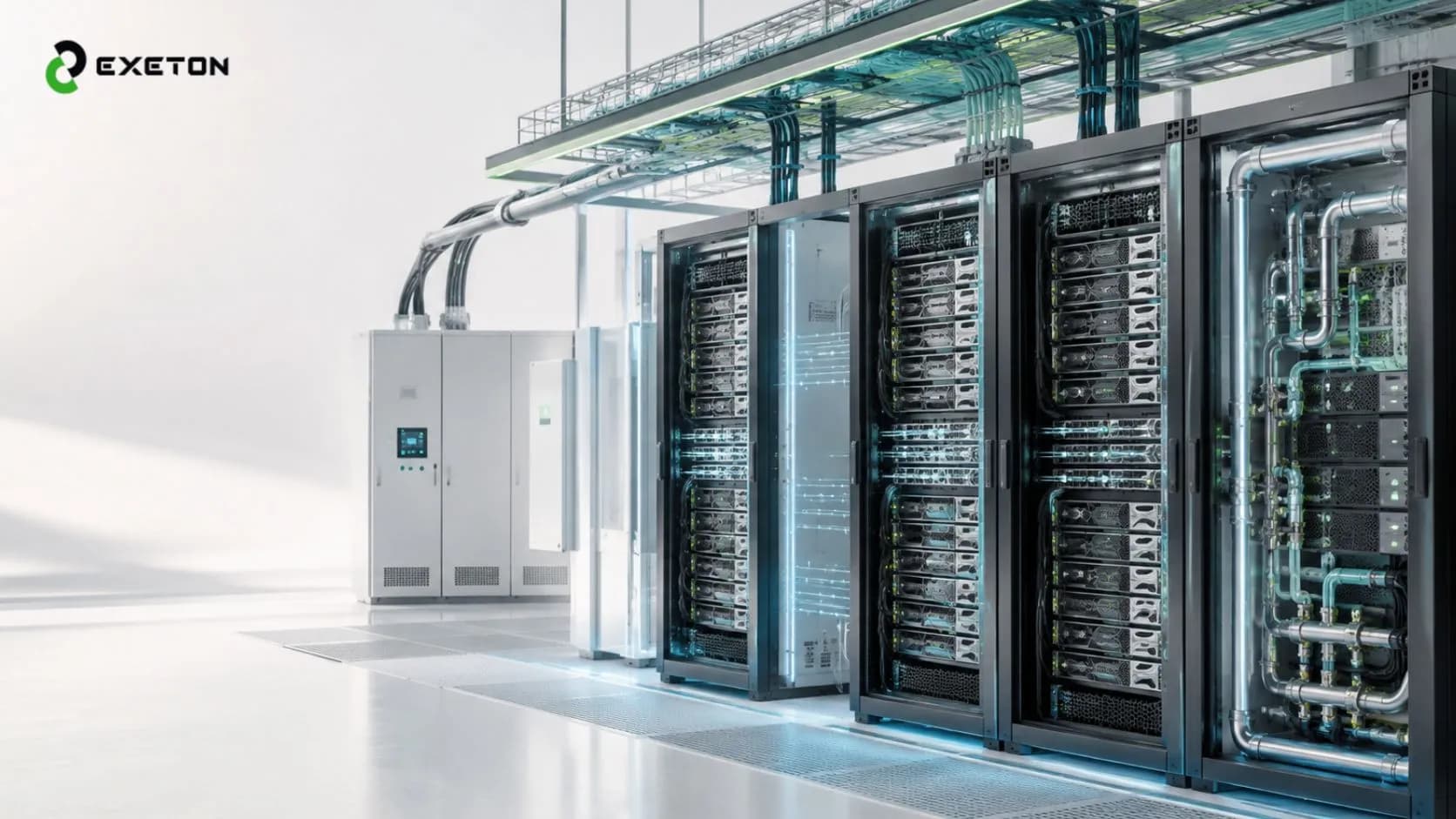
This is why modern AI data center cooling relies heavily on direct-to-chip liquid cooling. Small metal plates filled with circulating liquid sit directly on top of the processor chips. The liquid absorbs heat directly at the source and carries it away through sealed pipes, keeping equipment running safely and efficiently.
What Networking Does an AI Data Center Need?
AI projects require ultra-fast, low-latency networking cables and switches so thousands of GPUs can talk to each other instantly without waiting on data transfers.
Imagine a fleet of high-performance delivery trucks stuck on a narrow, one-lane dirt road. No matter how fast the trucks are, they cannot deliver goods quickly.
That is what happens when you pair fast GPUs with slow network cables. When training an AI model, chips must constantly share calculations with neighboring servers. If the network drops connections or slows down, expensive GPUs sit completely idle. High-speed AI networking ensures data moves between servers at top speeds.
What About Storage?
AI systems are hungry for data. Training a model requires feeding it terabytes or petabytes of text, photos, video, or financial records, while constantly saving progress along the way.
AI storage uses high-speed flash drives (NVMe) connected over fast network links. This ensures data streams into the GPUs without making the processors wait for files to load.
What Are the Biggest Challenges When Building an AI Data Center?
Setting up a dedicated GPU data center means solving several practical challenges:
Getting enough electrical power from the utility grid
Installing liquid pipes and fluid systems inside the server room
Managing heavy floor loads from dense equipment racks
Keeping network connections fast across all servers
Securing long-term hardware availability and delivery timelines
Setting up daily monitoring and physical maintenance
Does Every Business Actually Need an AI Data Center?
Not necessarily at the beginning. Building a custom server facility from scratch takes time and capital, and smaller workloads can often start on simpler alternatives:
Colocation:
Renting high-power rack space inside a specialized third-party facility.
Cloud Services:
Renting compute time over the internet for short project runs or initial testing.On-Premise
Workstations:
Running smaller models locally on high-performance office hardware.
If your business needs powerful local AI capabilities without constructing a full server facility, read our guide on how to run enterprise AI straight from your office desk.
What Should Businesses Consider Before Building One?
Before committing capital to how to build an AI data center, go through this quick planning checklist:
Are you training new AI models, or just running existing ones?
How many GPUs do you need today, and how many will you need in three years?
Does your building or site have enough electrical power available?
Can your building's floor support heavy liquid-cooled racks?
Which cooling method makes sense for your budget and location?
How much fast storage space do your datasets require?
Who will handle daily monitoring and component replacements?
What is your true total cost of ownership over five years?
To learn more about realistic hardware costs and budget expectations, explore our detailed breakdown on how much an AI server costs in 2026.
How Important Is Maintenance After Deployment?
Setting up the hardware is only the first step. Keeping a server cluster healthy requires regular care:
Checking liquid levels, pump pressure, and chip temperatures daily
Cleaning dust filters and inspecting fluid lines for leaks
Monitoring power draw across electrical circuits
Replacing faulty storage drives or cables before they cause downtime
Updating system software and hardware firmware safely
Because AI servers operate under constant high heat, even a small cooling issue can cause chips to slow down or fail. To keep your hardware running reliably, review our complete data center maintenance guide.
Frequently Asked Questions (FAQ)
What is the main difference between an AI data center and a regular data center?
Traditional data centers use CPU servers for routine business applications. AI data centers use dense clusters of GPUs that require up to 10 times more power and specialized liquid cooling to handle continuous math workloads.
Why can't air conditioning cool modern AI servers?
AI chips pack so much processing power into a tiny space that air cannot transfer heat fast enough. Liquid cooling brings fluid right to the chip, removing heat much more efficiently than fans.
Can small or mid-sized businesses build private AI infrastructure?
Yes. Businesses don't always need a multi-megawatt facility. Many start with compact on-premise GPU servers or high-density rack setups tailored to their specific applications.
Building AI Infrastructure Means Building for the Whole System
An AI data center is far more than a collection of fast chips in a clean room. It is a single, connected system where electricity, cooling, networking, storage, and maintenance work together in harmony.
Whether your team is planning a hardware deployment, upgrading server racks, or setting up maintenance routines, Exeton brings over a decade of hands-on technical experience to help you build reliable, high-performance infrastructure.
Ready to plan your next AI infrastructure project? Contact the engineering team at Exeton to discuss your power, cooling, and server requirements today.