



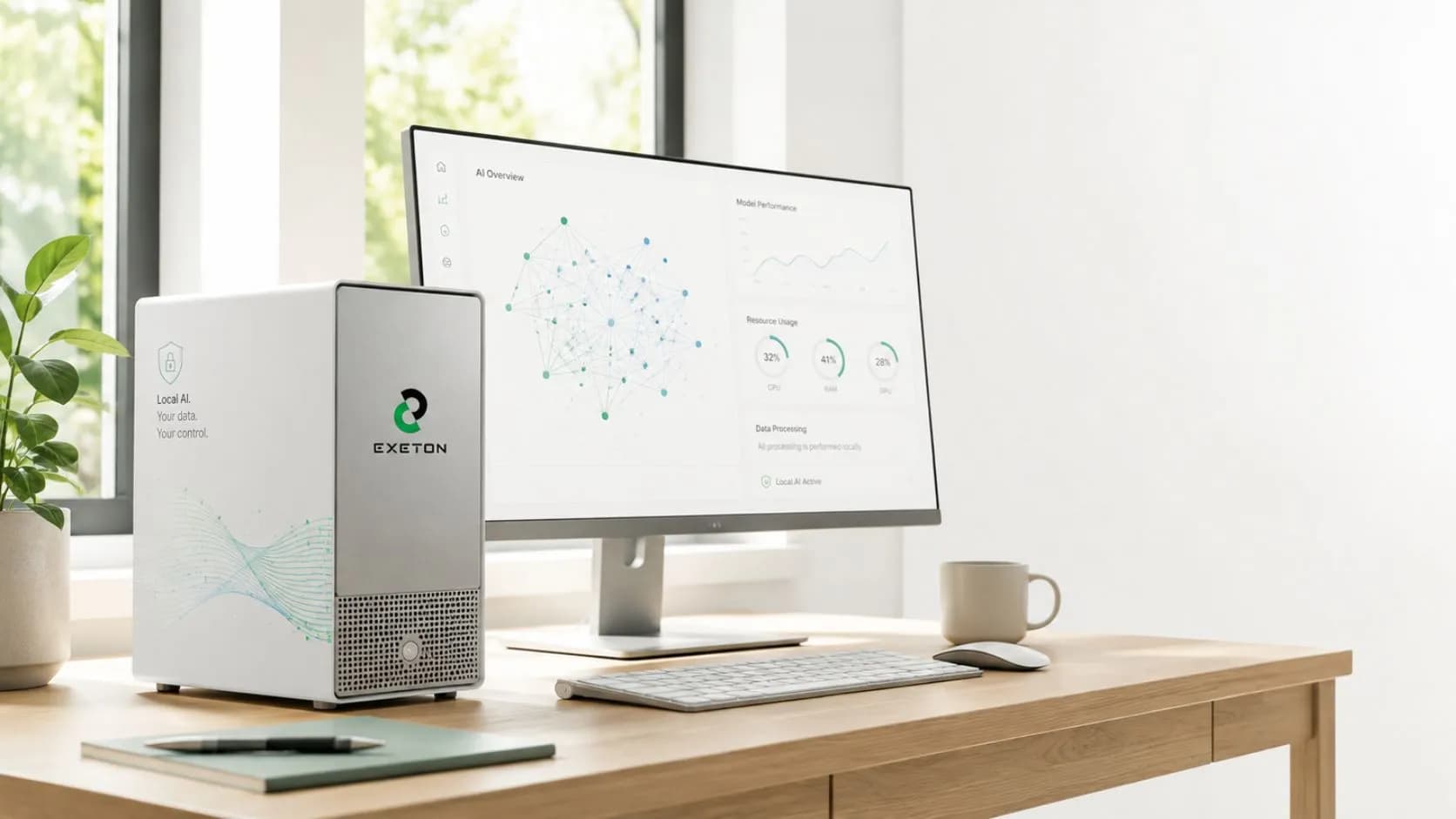
No Data Center Required: How to Run Enterprise AI Straight from Your Office Desk
Why pay endless monthly API fees for cloud AI when you can run it right from your desk?
Relying on cloud infrastructure often means opening monthly invoices with your fingers crossed as hidden bandwidth fees quietly drain operational margins. Desktop AI workstations from Exeton change the equation entirely, giving forward-thinking business owners secure, local computational power without runaway subscription costs.
Can You Really Run Enterprise AI Without a Server Room?
Yes, modern GPU-accelerated desktop workstations allow businesses to train, fine-tune, and run enterprise AI models locally using standard wall outlets and office space, completely bypassing the need for a server room.
For years, non-IT leadership from finance directors managing budgets to procurement teams sourcing hardware assumed that "enterprise AI" automatically meant building expensive server racks or renting cloud infrastructure. Traditional rack servers generate massive heat, consume intense electricity, and sound like jet engines taking off.
Desktop AI workstations from Exeton change the equation entirely. These systems package datacenter-grade computational power into whisper-quiet tower form factors. They plug directly into standard 110V/220V wall outlets, fit beneath a standard desk, and utilize advanced liquid cooling or specialized heatsinks to remain silent during heavy processing.
Why standard office desks work for modern AI hardware:
Standard Power Delivery: No specialized electrical rewiring or industrial power distribution units required.
Acoustic Optimization: Whisper-quiet fans keep noise levels low enough for quiet office environments.
Compact Footprint: Compact mid-tower and full-tower designs eliminate the need for server cabinets.
Why Should Business Leaders Move AI from the Cloud to the Desk?
Running AI on desktop hardware eliminates recurring cloud API fees, guarantees 100% data privacy by keeping sensitive files on-site, and provides zero-latency performance for daily operations.
While cloud providers make starting an AI project easy, scaling it creates long-term financial friction. Every search, document processing query, or customer service response incurs an API token fee. For procurement and accounting teams, predicting annual AI costs becomes nearly impossible.
Key Financial Formula: Total Cost of Ownership (TCO) = Hardware Capital Expense (One-time) vs. Cloud API Fees (Infinite)
By switching to local desktop hardware powered by Exeton, organizations convert unpredictable operational expenses into a single, predictable hardware asset that pays for itself over time.
Key Business Advantages of Local AI:
Complete Data Privacy & Governance: Sensitive customer records, financial ledgers, and proprietary IP never leave your internal network, eliminating third-party data leak risks.
Predictable Financial Planning: Accounts managers enjoy fixed costs without surprise end-of-month cloud bills or bandwidth overage fees.
Zero-Latency Response: Local hardware processes data instantly on-site without waiting for external server connections or internet traffic delays.
Offline Capability (Air-Gapped Execution): Run local large language models (LLMs) and internal automation tools even during internet outages or in high-security
How Does Desktop AI Compare to Cloud and Data Center Setups?
Desktop AI offers the best balance of low upfront cost, total privacy, and minimal setup complexity when compared to expensive cloud subscriptions or traditional data centers.
To help business owners, finance leads, and IT managers evaluate their options side-by-side, here is a clear breakdown of how local desktop AI compares to alternative infrastructure strategies:
Feature / Metric | On-Desk AI Workstation | Traditional Data Center | Public Cloud AI Services |
Upfront Capital Expense | Moderate (One-time purchase) | Extremely High (Server racks, HVAC, UPS) | Low (Zero initial hardware cost) |
Ongoing Monthly Fees | Low (Standard electricity only) | High (Facility maintenance & power) | High & Unpredictable (Per-token API fees) |
Setup Complexity | Plug-and-Play (Office desk) | High (Requires dedicated IT/Facilities) | Low to Moderate (Software configuration) |
Data Privacy & Control | Maximum (100% Local & Air-gapped) | Maximum (100% Local) | Variable (Shared third-party servers) |
Noise & Cooling Needs | Low (Quiet liquid/air cooling) | High (Industrial HVAC required) | None (Managed off-site) |
Which Exeton Hardware Systems Power On-Desk AI Workloads?
Exeton offers specialized AI Workstations, Multi-GPU Tower Systems, and Compact AI Supercomputers optimized for running local LLMs, predictive analytics, and computer vision models straight from your desk.
Whether you are a non-technical procurement officer selecting equipment or an IT administrator configuring system specs, Exeton simplifies hardware selection with purpose-built systems designed specifically for office environments.
1. Exeton Single & Dual-GPU AI Workstations
Best For: Small businesses, local data analysis, and lightweight generative AI.
Overview: Compact, quiet entry-level workstations built with professional GPUs to run daily business automation without generating excess heat.
2. Exeton Multi-GPU Tower Solutions
Best For: Mid-sized teams fine-tuning local LLMs and internal search tools.
Overview: Houses up to 4 high-performance GPUs in a quiet tower chassis, delivering data-center processing power for concurrent multi-user workloads.
3. NVIDIA DGX Spark Desktop AI Supercomputer by Exeton
Best For: Enterprise R&D, heavy generative AI pipelines, and air-gapped tasks.
Overview: Powered by the NVIDIA GB10 Grace Blackwell Superchip, delivering up to 1,000 TOPS of compute power right to your desk without facility upgrades.
4. Exeton Edge AI & Local Inference Systems
Best For: High-security departments needing instant, offline data querying.
Overview: Specialized desktop platforms engineered for ultra-low latency agentic workflows and completely private internal document search.
How Do You Deploy a Desktop AI Workstation in 4 Simple Steps?
Deploying desktop AI requires unboxing the unit, plugging it into standard power and Ethernet connections, installing a local open-weight AI framework, and loading your business data.
Deployment Workflow:
Step 1: Unbox & Position ➔
Step 2: Plug Power & Network ➔
Step 3: Install AI Environment ➔
Step 4: Load Local Models
Unbox & Position: Place your system on or under any standard office desk with adequate airflow space around the chassis vents.
Connect Power & Network: Plug the unit directly into a standard wall outlet and connect it to your local office router via Ethernet.
Initialize Local AI Software: Install beginner-friendly local AI frameworks (such as Ollama, LM Studio, or custom enterprise containers) pre-configured by Exeton.
Load & Query Your Data: Connect your local documents, spreadsheets, or internal databases to run real-time, private AI search and task automation instantly.
Ready to Bring Enterprise AI Directly to Your Desk?
Running enterprise-grade AI no longer requires million-dollar data center investments or runaway cloud subscription bills. By adopting local, high-performance workstation hardware from Exeton, forward-thinking business owners can empower their teams with secure, zero-latency artificial intelligence directly from an office desk.
Whether you are looking to run confidential internal large language models or automate day-to-day business analytics, Exeton engineers, tests, and certifies custom AI workstations tailored specifically to your operational goals and budget.
Contact the hardware specialists at Exeton today to configure a custom desktop AI workstation and transform how your business deploys local artificial intelligence.
Frequently Asked Questions
Can an Exeton AI Workstation plug into a standard wall outlet?
Yes. Exeton desktop AI workstations are engineered to run on standard office electrical infrastructure (110V/220V) without requiring specialized power distribution units or electrical modifications.
How do local desktop workstations prevent cloud API costs?
By hosting and running open-weight AI models locally on your Exeton hardware, your company processes data and queries entirely on-site. You pay once for the hardware asset rather than paying recurring per-token or bandwidth charges to cloud providers.
Is a desktop AI workstation quiet enough for an open office setup?
Absolutely. Unlike rackmount servers designed for isolated server rooms, Exeton desktop workstations use liquid cooling and low-decibel acoustic tuning to operate quietly alongside standard office equipment.
What happens to our sensitive data when running local AI on an Exeton system?
Your data never leaves your internal network. Exeton local workstations allow fully air-gapped deployment, meaning customer records, financial documents, and proprietary IP remain 100% private and protected from third-party cloud leaks.