



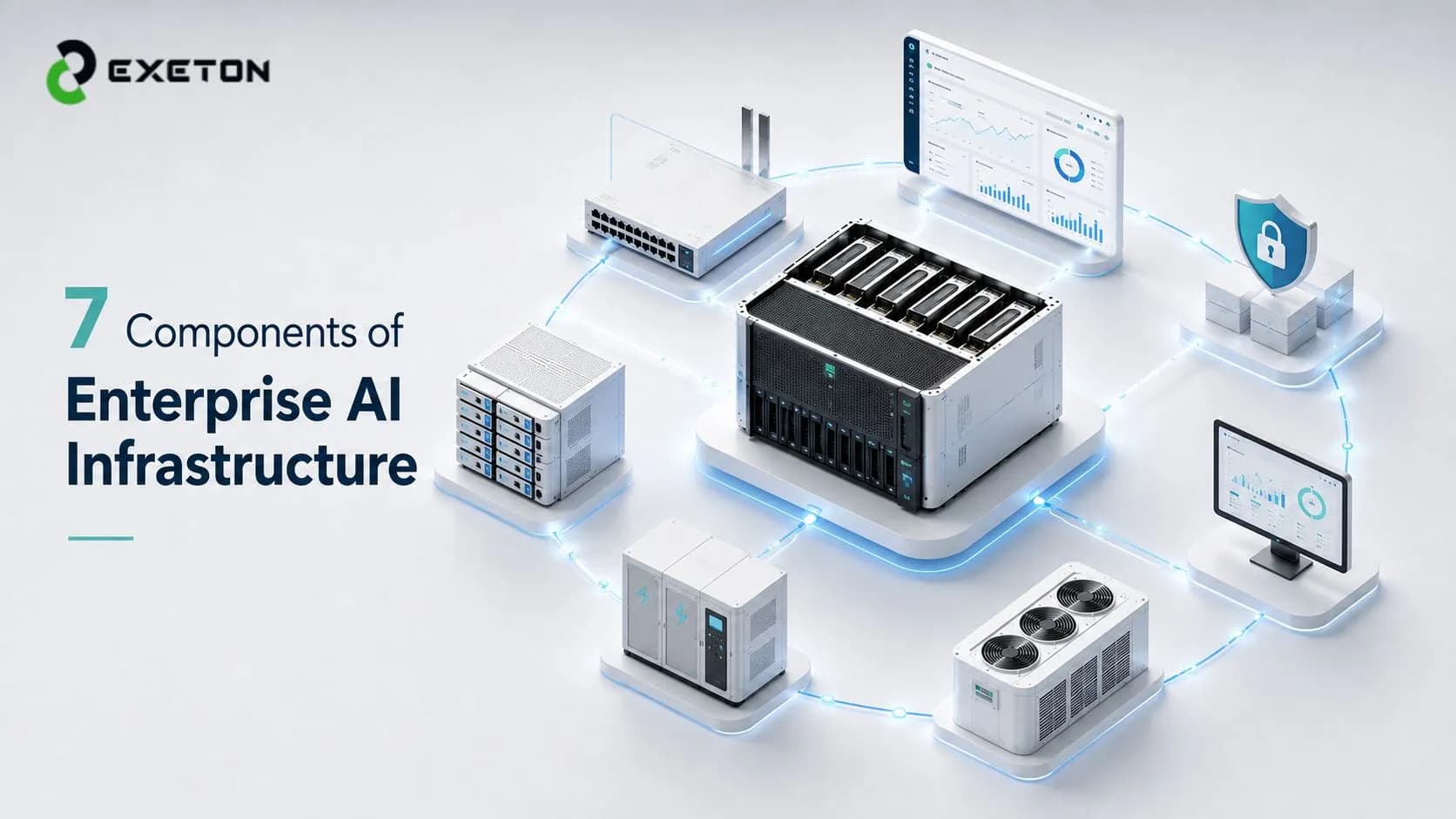
The 7 Components Every Enterprise AI Infrastructure Needs
What happens when your AI model is ready to scale, but your infrastructure isn't?
For many enterprises, the first instinct is to focus on buying more powerful GPUs. But enterprise AI infrastructure is not simply a collection of high-performance servers. Compute is only one part of an environment that also depends on networking, storage, power, cooling, software, security and ongoing operational support.
If one component becomes a bottleneck, the rest of the investment can be affected. Exeton works with organizations designing, integrating and supporting AI compute and data-center infrastructure, where the goal is to build systems around real workloads rather than treating hardware as an isolated purchase.
What are the 7 components of enterprise AI infrastructure?
Enterprise AI infrastructure typically consists of seven connected components: AI compute and GPU servers, high-speed networking, data storage and management, power and cooling infrastructure, AI software and orchestration, security and business continuity, and monitoring and lifecycle support.
These components must work together. A bottleneck in networking, storage, cooling or operations can limit the performance and reliability of even the most powerful AI hardware.
1. AI Compute and GPU Servers - Where Does the AI Work Actually Happen?
AI compute is where the actual processing takes place. GPUs are particularly important because they can perform large numbers of calculations in parallel, making them suitable for many modern AI workloads.
However, choosing enterprise GPU infrastructure is not simply about selecting the most powerful accelerator available. The right configuration depends on the workload. AI training, inference, simulation and visualization can each place different demands on GPU performance, memory, CPUs and local storage.
Enterprise-class platforms such as NVIDIA H200, B200 and B300 are examples of accelerators designed for demanding AI environments, but hardware selection should begin with workload requirements. Enterprises should consider performance per workload, memory capacity, scalability and how the compute environment will connect with the rest of the infrastructure.
For a closer look at one example, see Exeton's guide to NVIDIA H200 for enterprise AI.
2. High-Speed Networking - Can Your GPUs Get the Data Fast Enough?
Powerful GPUs are only useful when they can receive data and communicate with other systems efficiently.
This becomes particularly important when AI workloads are distributed across multiple servers or GPU clusters.
Systems may need to:
Exchange training data
Synchronize processing
Move large volumes of information between compute and storage
If networking cannot keep pace, expensive GPU resources may spend time waiting rather than processing.
High-bandwidth, low-latency networking becomes increasingly important as AI infrastructure grows. The exact network architecture depends on the environment, workload and scale, but the principle is straightforward: compute and networking must be planned together.
Powerful GPUs connected by an inadequate network are like several high-performance engines connected by a narrow fuel line. The engines may be capable of exceptional performance, but the surrounding system prevents them from operating at full potential.
3. Storage and Data Management - Where Does All the AI Data Go?
AI workloads depend on data. Training environments may use large datasets, while validation, inference and ongoing operations can create additional storage requirements.
Enterprise AI storage therefore needs to address more than raw capacity. It must also provide sufficient performance to move data efficiently between storage and AI compute. A storage environment that is large but too slow can create another bottleneck in the overall architecture.
Key considerations include capacity, performance, scalability, data protection and backup and recovery.
The right approach depends on:
How data is accessed
How frequently it moves
How quickly workloads need it
Data management matters as well. Enterprises need to understand how information moves through the environment, where it is stored and how it is protected.
Well-designed data pipelines help ensure that compute resources spend more time processing workloads and less time waiting for information.
4. Power, Cooling and Data-Center Infrastructure - What Keeps the Hardware Running?
This is one of the most important differences between enterprise AI infrastructure and a basic server deployment.
High-density GPU servers can create significant power and heat requirements. Before hardware is installed, the physical environment needs to support the planned deployment. That includes:
Available power
Rack density
Cooling capacity
Physical space
Redundancy
Appropriate environmental conditions
An enterprise can purchase excellent AI servers and still encounter deployment problems if its data-center environment is not ready for them.
As AI deployments scale, these requirements become more significant.
Planning may need to consider:
How much power is available today
How cooling will handle sustained workloads
Whether the facility can support future expansion
This is particularly relevant for large AI deployments and regional data-center environments, including those across the GCC.
Physical infrastructure is not separate from the AI system. It is part of the system.
5. AI Software and Orchestration - Who Manages the Hardware?
Enterprise AI infrastructure is not only physical equipment. Software determines how effectively the hardware is used.
This layer can include GPU drivers, AI frameworks, containers, cluster management tools, workload scheduling, resource allocation and monitoring platforms. Orchestration refers to the software processes that help manage and distribute workloads across infrastructure resources.
For example, a multi-server environment may need to determine:
Where workloads run
Which resources are available
How capacity is allocated
Without effective software management, organizations may struggle with poor utilization even when they have sufficient hardware.
The relationship is simple: hardware provides the capability; software determines how efficiently that capability is used.
This is why infrastructure planning should consider compatibility and operations before deployment, rather than treating software as something to address after the servers arrive.
6. Security, Compliance and Business Continuity - What Happens When Something Goes Wrong?
Enterprise AI infrastructure must be designed for reliability, not just peak performance.
Security and continuity requirements can include access controls, data protection, network security, secure infrastructure configuration, backup and recovery, redundancy and business continuity planning.
Compliance requirements may also affect:
Where systems are deployed
How data is handled
Which controls need to be in place
The consequences of overlooking these areas can extend beyond a single hardware failure. An infrastructure issue may affect access to workloads, data availability or wider business operations
This is also why enterprises should evaluate the capabilities of the organizations involved in designing and supporting their environments. Choosing a provider with an appropriate approach to quality, security and continuity can be as important as selecting the underlying hardware. Exeton's article on how to choose a trusted AI infrastructure partner explores these considerations in more detail.
7. Monitoring, Support and Lifecycle Management - Who Looks After It After Deployment?
Infrastructure does not stop being important once a server is installed.
Enterprise environments require ongoing hardware and performance monitoring, fault detection, maintenance, firmware and software updates, technical support, warranty management and lifecycle planning. Organizations also need to consider future capacity expansion as workloads grow or change.
Without effective monitoring, problems may take longer to identify. Without lifecycle planning, hardware decisions can become disconnected from future business requirements.
Enterprise AI infrastructure is an ongoing operational environment, not a one-time hardware purchase.
This is where infrastructure integration and ongoing support become important. Providers such as Exeton can support organizations beyond initial configuration by helping address:
Deployment
Operational requirements
Future infrastructure planning
How Do These 7 Components Work Together?
Component | Primary role | What happens if it's overlooked? |
GPU/Compute | Runs AI workloads | Insufficient performance |
Networking | Moves data between systems | GPU bottlenecks |
Storage | Feeds and stores data | Slow data pipelines |
Power & Cooling | Keeps systems operational | Downtime or deployment limits |
Software | Manages workloads | Poor resource utilization |
Security & Continuity | Protects operations | Risk and disruption |
Support & Monitoring | Maintains infrastructure | Longer outages and lifecycle issues |
The key point is that no component operates in isolation. A high-performance GPU cluster can still underperform if storage is slow, networking is inadequate or the software environment is poorly configured.
Do Enterprises Need to Build AI Infrastructure From Scratch?
No.
The right approach depends on the workload, budget, existing data-center capacity, security requirements, expected scalability, deployment timeline and internal technical expertise.
Some organizations may expand existing infrastructure. Others may deploy dedicated AI servers or build larger environments around GPU clusters and supporting infrastructure. The important decision is not whether every component must be designed internally, but whether the complete system has been properly planned.
An infrastructure partner can help evaluate requirements, configure compatible components and support deployment. Exeton can assist organizations that need support designing, integrating and operating AI and HPC infrastructure around their specific requirements.
Building AI Infrastructure That Can Scale
The right enterprise AI infrastructure is not simply the system with the most GPUs. It is an environment where compute, networking, storage, physical infrastructure, software, security and support are designed as one connected system.
That approach helps enterprises identify bottlenecks before deployment and make infrastructure decisions based on workload and operational requirements. For a broader overview of the subject, read Exeton's complete guide to AI infrastructure.
Conclusion
Enterprise AI infrastructure combines far more than AI servers and GPUs. Compute, networking, storage, power and cooling, software, security, and ongoing support all contribute to whether an environment performs reliably and can scale over time.
For enterprises planning a new AI environment or expanding an existing one, Exeton can help evaluate the workload, configure appropriate infrastructure and plan for deployment and ongoing support.
Planning an enterprise AI infrastructure deployment? Talk to Exeton's specialists about building a system around your workload, performance requirements and growth plans.