



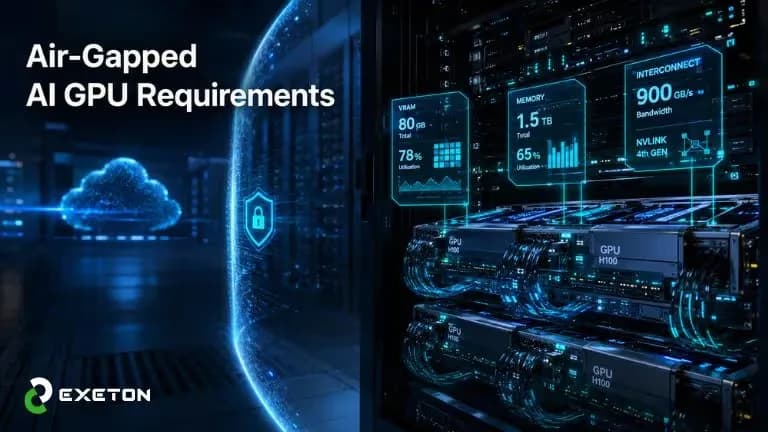
Air-Gapped AI GPU Requirements: Choosing the Right Hardware for Local LLM Inference
PublishedCloud AI completely insulates you from infrastructure limits. If a model needs more memory, elastic data centers scale instantly to meet the demand. You simply pay per token.
An air-gapped environment shatters this luxury.
When you disconnect from external networks to safeguard sensitive data, your local hardware becomes your entire AI universe. There is no cloud scaling to absorb traffic spikes, and no remote API to bail you out if your configuration fails.
The Zero-Sum Reality of Local AI: Physical memory is an absolute binary gate. If a local LLM inference workload requires 40 GB of VRAM and your server node only provides 32 GB, the model will not simply run slowly; it will throw an Out-of-Memory (OOM) error and crash instantly on initialization.
Deploying on-premise AI requires shifting from on-demand cloud services to a fixed resource architecture. Because every token generated depends entirely on your physical enterprise GPU architecture, precision hardware sizing is the absolute foundation of your organization’s data sovereignty.
The Core Mechanics: VRAM Capacity vs. Bandwidth
To design an on-premise infrastructure capable of handling local LLM inference without internet failovers, architects must separate GPU performance into two distinct vectors: capacity and execution speed.
When deploying a Large Language Model offline, the primary hardware restriction is always memory, not raw compute:
Memory Capacity (VRAM): Your available Video RAM acts as a strict binary gate. It dictates whether a model can run at all. If the model parameters, system overhead, and context workspace exceed your physical VRAM pooling, the system throws an Out-of-Memory (OOM) error and completely halts execution.
Memory Bandwidth: Measured in gigabytes per second (GB/s), bandwidth dictates how fast tokens generate once the model is loaded. LLM inference is highly memory-bound; during the decoding phase, every single token generation requires the weights of the entire model to be fetched from VRAM to the processor cores.
Architect’s Takeaway: Massive raw compute (high TFLOPs) is completely useless if the network layers cannot fit into local silicon memory. VRAM capacity determines your deployment boundary; memory bandwidth determines your tokens-per-second throughput.
The Local GPU Tier List
To architect an enterprise server node, IT teams must evaluate hardware tiers based on deployment density, reliability, and cooling form factors. The table below outlines the enterprise landscape:
GPU Tier | Key Enterprise Examples | Pros | Cons | Best Used For |
Enterprise / Data Center | NVIDIA B200, H200, H100, L40S | Massive HBM3e bandwidth, high cluster density, passive cooling for server racks, multi-instance GPU (MIG). | Premium Capital Expenditure (CapEx), high power draws per node, requires specialized data center power. | Concurrent multi-user production, heavy agentic AI workloads, local model fine-tuning. |
Professional / Workstation | NVIDIA RTX PRO 6000 Blackwell, RTX 6000 Ada | 96GB GDDR7 (Blackwell), ECC memory stability, dual-slot blower profiles fit standard server chassis. | Higher cost-per-VRAM gigabyte than consumer silicone, lacks native SXM scaling. | Secure departmental local servers, running 70B+ parameters on tight chassis footprints. |
Consumer Enthusiast | NVIDIA GeForce RTX 5090, RTX 4090 | Exceptional raw compute value, wide availability, fast individual token generation. | Thick 3-to-4 slot form factors, consumer drivers lack enterprise stability, no ECC support, limits density. | Local developer sandboxes, pilot prototyping, small air-gapped branch testing. |
The Interconnect Barrier: Scaling Beyond a Single Card
When a model exceeds a single card's VRAM pool, the workload must be split across multiple GPUs using tensor parallelism. This is where standard IT infrastructure hits a performance ceiling.
Scaling across standard motherboard slots forces cards to communicate via the PCIe bus. Even over PCIe Gen 5 x16 lanes, this introduces massive transport latency compared to internal chip speeds, creating a severe latency barrier that tanks your tokens-per-second generation.
To bypass this restriction, enterprise architectures rely on high-speed point-to-point bridges:
NVLink Bridges / NVSwitch: Physical interconnects that bypass the PCIe bus entirely, allowing adjacent GPUs to share data at hundreds of gigabytes per second.
SXM Form Factors: Integrated data center boards where GPUs mount directly to a unified substrate, slashing intra-cluster communication delay to near-zero.
The Takeaway: Without professional validation of these physical lane configurations, an unguided multi-GPU setup will suffer heavy processing stalls and system choke points, rendering expensive hardware highly inefficient.
The Math that Matters: VRAM & Capacity Calculations
In enterprise infrastructure planning, guessing your hardware requirements is a guarantee of system failure. If your calculation is off by even a few megabytes, your server will throw an Out-of-Memory (OOM) error and crash.
To ensure stable local LLM inference, you must calculate both the size of the model and its operational working memory (the KV Cache) before buying any hardware.
The Real Footprint of a 70-Billion (70B) Parameter Model
Let's look at the hard math of sizing a modern enterprise standard, like Meta's Llama-3 70B:
The Raw Model (Unquantized FP16): At full precision, every parameter takes up 2 bytes of memory.
70 Billion Parameters × 2 Bytes = 140 GB of VRAM
Verdict: You would need multiple ultra-premium data center cards just to turn the model on.
The Compressed Model (4-bit Quantization): Through quantization (compressing the model's weights), we can shrink each parameter down to 0.5 bytes.
70 Billion Parameters × 0.5 Bytes = 35GB of VRAM
Verdict: The model can now easily sit inside a single 48GB or 96GB card.
The "Hidden Tax": Working Memory (KV Cache)
Many IT teams make the mistake of assuming a 35 GB model will run fine on a standard 40 GB card. It won’t. As users interact with the AI, the system requires extra dynamic VRAM to remember the ongoing conversation history.
For a 70B model, this context history adds up quickly:
Short Context (8k tokens): Consumes about 2.6 GB of VRAM per user.
Long Context (32k tokens): Ballooning up to 10.5 GB of VRAM per user.
The Total Sizing Blueprint (5 Concurrent Users)
When you add the model, the system overhead, and a small team of 5 users typing at the same time, the real-world deployment math looks like this:
Allocation Factor | VRAM Required |
Static Model Weights (4-bit Quantized) | 35.0 GB |
System & CUDA Runtime Overhead Buffer | 3.5 GB |
KV Cache Memory (5 Users at 8k Context) | 13.0 GB |
Total Physical VRAM Needed | 51.5 GB |
The Architectural Verdict: A compressed 70B model requires a bare minimum of 51.5 GB of active VRAM to handle 5 simultaneous users. Hosting this on a single 48 GB card will cause immediate system crashes under production loads.
To run this smoothly, your enterprise GPU architecture must spread the workload across a dual-card array using tensor parallelism to ensure high-speed, offline uptime.
The Benefits of Right-Sized Silicon
Perfectly sizing your local enterprise GPU architecture transforms your physical infrastructure from a resource constraint into a distinct competitive edge.
1. Guaranteed Performance with Zero Cloud Latency
Cloud-based AI leaves your throughput at the mercy of internet bandwidth, regional outages, and data center queues. Moving on-premise eliminates these external variables completely:
Deterministic Speeds: Your tokens-per-second generation rate remains completely static, reliable, and predictable regardless of global peak traffic hours.
Zero Network Delays: Because data never leaves your physical Local Area Network (LAN), you eliminate web transmission latency, yielding near-instantaneous responses for complex multi-step workflows.
2. Long-Term Financial Predictability (CapEx over OpEx)
Public cloud APIs carry highly volatile, unpredictable monthly utility bills. As automated backend systems scale, cloud costs can quickly spiral out of control.
Right-sizing your offline GPU stack shifts your finances from an unpredictable Operational Expenditure (OpEx) to a fixed, long-term Capital Expenditure (CapEx) asset model. Once your server nodes are deployed, your cost drops to baseline power and facility cooling, whether your team generates ten tokens or ten million tokens a day, your monthly costs remain identical.
3. Bulletproof Data Sovereignty
When handling hyper-sensitive intellectual property, private medical records, or secure financial data, regulatory compliance is non-negotiable.
By building dedicated, local VRAM and compute pools, state-of-the-art models run entirely within your physical corporate perimeter. This guarantees all the operational capabilities of modern generative AI with absolutely zero risk of third-party data leaks, model training exploitation, or external data compliance failures.
The Hidden Risks: What Happens When You Build Unsupervised
Sourcing and deploying a high-density AI server cluster without professional validation is a recipe for operational and financial failure. Local LLM inference places unique, sustained structural demands on hardware, meaning standard IT deployment rules do not apply.
1. The Under-Specifying Trap (The Endless OOM Loop)
Unguided IT teams often purchase hardware based solely on a model’s static file size, ignoring the dynamic VRAM required for context windows and system overhead.
The Result: The moment a user processes a large document, the system triggers an inescapable Out-of-Memory (OOM) error and crashes.
The Fallout: Sunk Capital Expenditure (CapEx) on infrastructure that is fundamentally incapable of running your required models.
2. The Over-Specifying Nightmare (Thermal and Power Hazards)
Overcompensating by packing unvalidated consumer or workstation cards into a standard chassis creates severe infrastructure risks:
Thermal Throttling: Intense AI workloads generate massive heat. Standard cases cannot exhaust this fast enough, forcing GPUs to automatically drop their speeds and cut your token throughput in half.
Power Grid Failures: High-end GPUs experience massive, microsecond-long transient power spikes. Unvalidated power supply unit (PSU) configurations will trip local circuit breakers, shutting down the node mid-inference.
3. Interconnect Restrictions and Instability
Placing multiple GPUs into standard PCIe slots without high-speed hardware bridges forces data to crawl through the motherboard bus, creating a latency barrier. Additionally, running consumer-grade components without error-correcting (ECC) memory causes frequent, unresolvable system crashes in an air-gapped environment.
How to Bypass the Risk: The Exeton Advantage
You do not have to navigate these complex physical constraints alone. Exeton eliminates the infrastructure guesswork by delivering fully integrated, pre-validated enterprise GPU architecture designed specifically for heavy, continuous inference workloads.
By mapping your exact operational requirements to industry-leading platforms such as high-density Supermicro server bundles, custom-built multi-GPU platforms, or ultra-performance HGX arrays Exeton’s engineering teams ensure that your power distribution, cooling topology, and high-speed NVLink interconnects are perfectly balanced. This prevents any system choke points and guarantees true plug-and-play reliability the moment your system goes completely offline.
Enterprise Integration: How Exeton’s Specialists Secure Your Setup
Transitioning to a secure, completely offline AI infrastructure doesn't require your IT team to master advanced silicon engineering overnight. Exeton AI solutions bridge the gap between complex software dependencies and raw physical hardware, transforming a high-risk installation into a predictable enterprise rollout.
1. Precision Sizing and Workload Mapping
Exeton mathematically maps out your precise GPU VRAM requirements and compute overhead based on your operational metrics—such as targeted models, concurrent user counts, and maximum context windows. This precision engineering guarantees your private network never faces an unexpected Out-of-Memory (OOM) error while ensuring you avoid overspending on unnecessary silicon.
2. Pre-Validated Enterprise GPU Architecture
We eliminate the risk of hardware mismatches, transient power spikes, and thermal throttling by deploying pre-validated infrastructure solutions:
High-Density Server Platforms: We partner with leading tier-one OEMs to integrate cutting-edge silicon into robust, enterprise-grade chassis, including custom Supermicro and Gigabyte multi-GPU nodes.
Balanced Thermal & Power Engineering: Every system features data-center-grade power distribution units (PDUs) and optimized cooling topologies built to sustain intense, long-running matrix calculations without dropping performance.
3. True Turnkey, Air-Gapped Readiness
The single biggest obstacle to setting up an offline system is the "dependency trap" you cannot download a missing driver or software patch over the internet.
Exeton solves this by staging, configuring, and testing your complete hardware and software stack before it leaves our facility. Your system arrives pre-loaded with optimized enterprise Linux distributions, stable CUDA drivers, and pre-mirrored local repositories of essential development tools (such as Docker, PyTorch, and TensorFlow).
When your node arrives, it is entirely self-contained, completely secure, and ready to deliver high-speed token generation from the very first time you power it on all backed by an enterprise-grade 3-year warranty.
Conclusion
Building an air-gapped AI server is a fundamental shift from consumption-based cloud metrics to a self-reliant infrastructure model. When you isolate enterprise AI, scalability is no longer a sliding budget bar on a cloud dashboard, but a physical function of your data center's floor space, thermal capacity, and rack layout.
The ultimate ROI of a secure, localized AI architecture is complete data sovereignty. Investing in high-performance local hardware and rigid physical validation creates an infrastructure immune to external API changes, cloud pricing shifts, and network outages, treating absolute security as a default operational state.
FAQs
1: What is an OOM error and how do I prevent it?
An Out-of-Memory (OOM) crash happens when model parameters and active user conversations exceed physical VRAM. Prevent it by calculating dynamic context requirements instead of just static file sizes, and keep a 20% memory buffer.
2: Why use enterprise/workstation GPUs instead of consumer cards?
Consumer cards (RTX 4090/5090) dump heat inside the chassis, causing severe thermal throttling when stacked. Enterprise cards use blower designs that vent heat out the back, include ECC memory to stop system crashes, and offer stable drivers.
3: How do I update a strictly air-gapped server?
Download files on an internet-connected machine, verify them via SHA-256 hashes, and physically move them via secure media or data diodes. Exeton eliminates this friction by shipping systems pre-loaded with local model and repository mirrors.
4: What is the fastest way to connect multiple local GPUs?
Use physical NVLink bridges or data-center-grade SXM boards. These point-to-point interconnects bypass slow PCIe motherboard lanes, letting adjacent GPUs share data instantly to eliminate latency during multi-card tensor parallelism.
5: How does the KV Cache impact VRAM pooling?
The KV Cache stores active conversation history. While model weights are fixed, the cache scales dynamically with every user and token. Multiple users processing long documents can easily consume an extra 15-20GB of dynamic VRAM, triggering sudden crashes if unbudgeted.