



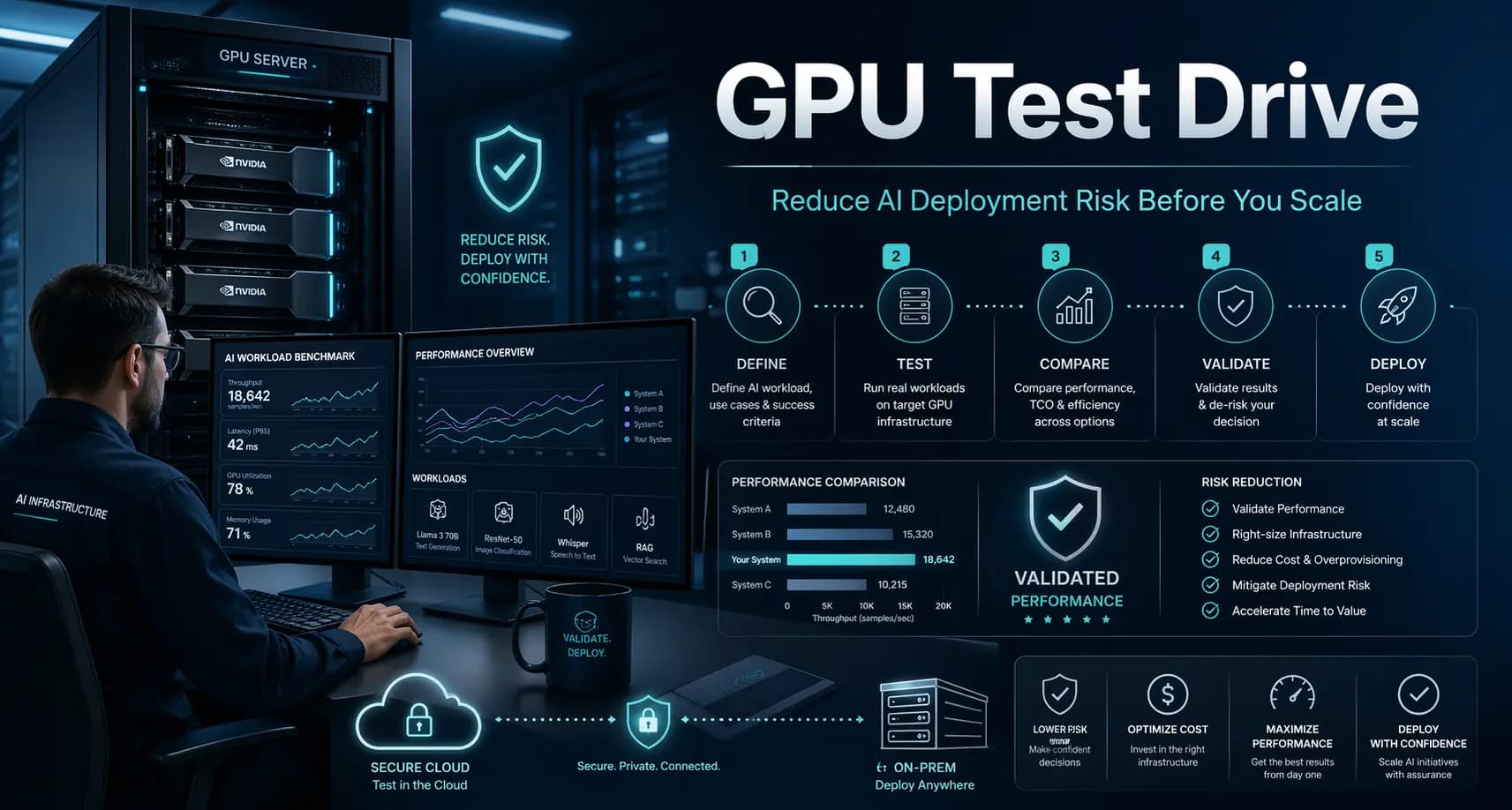
What Is a GPU Test Drive and How Can It Reduce AI Deployment Risk?
AI projects often don’t fail because of bad ideas, they fail because of bad infrastructure decisions.
Choosing the wrong GPU setup can lead to spiraling costs, underwhelming performance, and delayed deployments. For enterprises investing heavily in AI, this isn’t just frustrating, it’s expensive.
That’s where a GPU test drive comes in. It gives you a safe, practical way to validate your AI infrastructure before making a long-term commitment.
What is a GPU test drive?
A GPU test drive is a hands-on evaluation of GPU infrastructure where you run your own AI workloads in a controlled environment before purchasing or deploying at scale.
Instead of guessing what hardware will work, you test it with real data, real models, and real performance expectations.
Think of it like test-driving a car, you don’t just look at specs, you experience how it performs on the road.
With a GPU test drive, you:
Run your AI models on different GPU configurations
Measure performance, speed, and cost efficiency
Identify bottlenecks before deployment
Validate your overall AI infrastructure readiness
Why do enterprises need a GPU test drive?
AI infrastructure is complex, and mistakes are costly.
Common AI deployment risks
Without proper GPU performance testing, organizations often face:
Overprovisioning costs: Buying more GPU power than needed
Underperformance: Models run slower than expected
Compatibility issues: Frameworks or tools don’t integrate smoothly
Scalability problems: Systems fail when workloads grow
Deployment delays: Time lost troubleshooting infrastructure issues
The hidden cost of guessing
Many enterprises rely on vendor specs or assumptions instead of real testing. But AI workloads vary widely, what works for one use case may fail for another.
A GPU test drive replaces guesswork with evidence.
How does a GPU test drive reduce AI deployment risk?
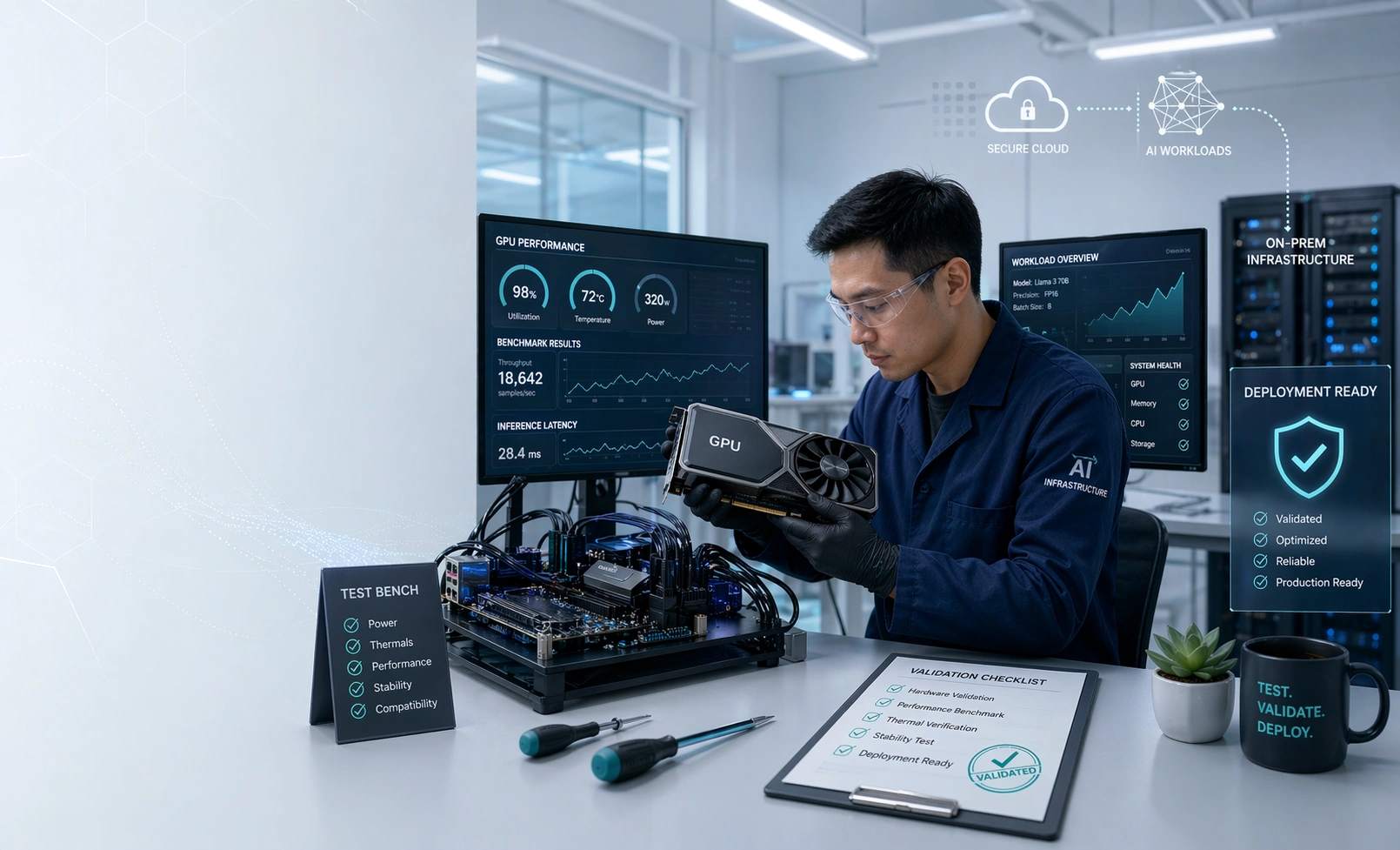
A GPU test drive directly addresses the biggest uncertainties in AI projects.
1. Validates real-world performance
Instead of relying on theoretical benchmarks, you test:
Model training time
Inference latency
Throughput under load
This ensures your infrastructure meets actual business needs.
2. Optimizes cost efficiency
You can compare different GPU configurations and find the best price-performance balance.
Result:
No overspending
No underpowered systems
3. Ensures compatibility
Test your full stack:
Frameworks (TensorFlow, PyTorch)
Data pipelines
AI tools and libraries
This reduces integration issues during deployment.
4. Improves scalability planning
Simulate production-like workloads to see how your system behaves at scale.
This supports better long-term planning for enterprise AI readiness.
5. Speeds up decision-making
Instead of weeks of uncertainty, you get clear, data-driven insights in days.
What happens during a GPU test drive?
A structured AI infrastructure validation process typically follows these steps:
Step 1 - Workload assessment
Your team defines the AI models, datasets, and performance goals.
Step 2 - Environment setup
A test environment is configured with selected GPU options.
Step 3 - Performance testing
You run training and inference workloads while tracking key metrics:
Speed
Resource usage
Cost per run
Step 5 - Analysis and insights
You receive detailed performance reports and recommendations.
Step 6 - Decision support
Use the data to confidently choose the right infrastructure.
Real-world example
Scenario: AI model deployment in finance
A financial services company wanted to deploy a fraud detection model.
Initial assumption:
High-end GPUs would deliver the best results.
During a GPU test drive, they discovered:
Mid-tier GPUs handled inference efficiently
High-end GPUs were only needed for training
Hybrid setup reduced costs by 40%
Outcome:
Faster deployment
Lower infrastructure spend
Improved ROI
What should you look for in a GPU testing solution?
Not all GPU test drives are equal. For effective enterprise AI readiness, look for:
Key capabilities
Real workload testing: Support for your actual models and datasets
Multiple GPU options: Compare different configurations
Transparent metrics: Clear performance and cost insights
Scalability simulation: Test beyond small workloads
Expert guidance: Recommendations tailored to your use case
Enterprise-grade requirements
Secure environment
Fast setup
Reliable infrastructure
Minimal disruption to your team
How EXETON’s GPU Test Drive helps
EXETON’s GPU Test Drive is designed specifically for enterprises that want to reduce AI deployment risk without slowing innovation.
What makes it different
Run real AI workloads in a production-like environment
Access high-performance GPU infrastructure on demand
Get expert-backed insights for faster decisions
Validate performance, cost, and scalability before investing
The result
You move forward with confidence, knowing your AI infrastructure is tested, optimized, and ready.
Key benefits at a glance
Cost savings: Avoid unnecessary GPU investments
Performance validation: Ensure models run as expected
Faster decisions: Reduce evaluation time
Lower risk: Prevent deployment failures
Enterprise AI readiness: Build with confidence from day one
FAQ
What is a GPU test drive in AI?
A GPU test drive is a hands-on evaluation where you run your AI workloads on different GPU setups to measure performance, cost, and compatibility before deployment.
How does GPU performance testing help enterprises?
It provides real-world data on how AI models perform, helping organizations choose the right infrastructure and avoid costly mistakes.
Is a GPU test drive necessary for small AI projects?
While not always required, it’s highly valuable for any project where performance, cost, or scalability matters.
How long does a GPU test drive take?
Most test drives can be completed within a few days, depending on workload complexity.
Can I test multiple GPU configurations?
Yes, a proper GPU test drive allows you to compare different GPUs to find the best fit for your needs.
Ready to de-risk your AI deployment?
A GPU test drive isn’t just a technical step, it’s a strategic one.
Before committing to expensive infrastructure, take the time to validate your choices. With EXETON’s GPU Test Drive, you can move from uncertainty to clarity, quickly, safely, and confidently.
Explore how EXETON can help you test, validate, and scale your AI infrastructure with less risk and better results.