



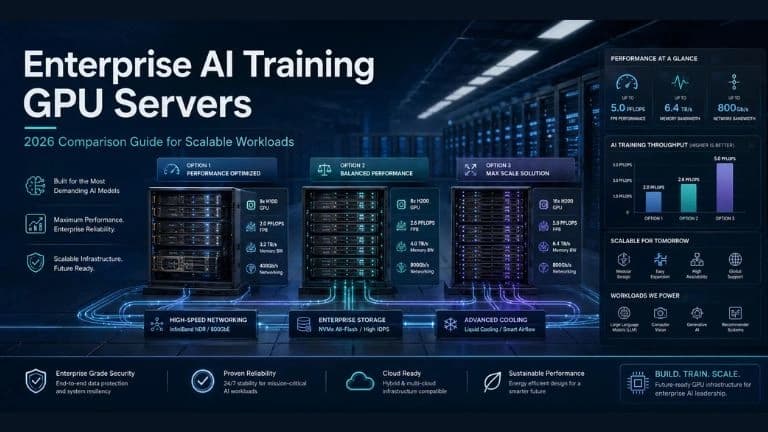
Top GPU Servers for Enterprise-Scale AI Training Workloads: A 2026 Comparison Guide
Why choosing GPU servers for large-scale AI training is harder in 2026
Enterprise AI training fails for predictable reasons: the GPUs look great on paper, but the system can’t feed them fast enough, can’t cool them consistently, or can’t scale without painful redesign. Teams also underestimate what “enterprise-ready” means, reliability, serviceability, predictable deployment, and support that keeps projects on schedule.
This guide is written as a purchase advisor: simple, comparison-driven, and practical. It helps you evaluate the top GPU servers for AI training using EXETON’s current lineup, so you can choose the right platform for your workload, data center, and growth plan.
What are the best GPU servers for AI training?
The “best” AI training servers are the ones that balance GPU density, system I/O, cooling, and scale-out readiness for your real workload. In EXETON’s lineup, that choice usually starts with two questions:
1) Do you need 2 GPUs or 4 GPUs per server?
2x GPU servers are often the fastest path to production for smaller training jobs, fine-tuning, and teams that need more nodes (more parallel experiments) rather than maximum density per node.
4x GPU servers are the sweet spot for many enterprises: strong per-node training throughput, fewer servers to manage, and a clear stepping stone toward clusters.
2) Are you optimizing for workstation flexibility or server-class scaling?
Workstation-oriented platforms tend to be great for agile teams, iteration speed, and mixed workflows.
Server-class platforms are usually best for standardized builds, repeatable rollouts, and cluster operations.
Where NVIDIA H200/B200 servers fit
If your strategy includes NVIDIA H200/B200 servers (or similar high-end training GPUs), the server platform matters even more, because power, cooling, and I/O headroom become the limiting factors. EXETON’s 4x GPU platforms are typically the starting point for those configurations, assuming facility readiness and GPU availability.
What makes a GPU server suitable for enterprise AI training?
A good AI training server isn’t just “lots of GPUs.” It’s a balanced system that keeps GPUs busy and keeps operations predictable.
Core requirements
GPU capacity that matches your model plan: 2x vs 4x GPUs per node changes how you schedule jobs, scale, and budget.
Enough VRAM: More VRAM reduces compromises (batch size limits, extra sharding, more checkpointing). VRAM depends on the GPU you select.
Strong I/O headroom: Training isn’t only math—data has to move from storage to CPU to GPU reliably.
Thermal stability: If a server can’t sustain cooling, you’ll see throttling, failures, or inconsistent run times.
Scale-out readiness: If multi-node training is on your roadmap, plan for fast networking and consistent configurations early.
Support and service model: Enterprise training environments need predictable response times, spares strategy, and clear escalation paths.
If your GPUs will be expensive and heavily utilized, pay extra to avoid “cheap bottlenecks” (weak I/O, underpowered cooling, or nonstandard builds). The cost of lost GPU time is often higher than the cost of better infrastructure.
EXETON’s top GPU servers for AI training
Below is a clear comparison of the EXETON platforms you listed. Because GPU models vary by configuration, “GPU type” and “VRAM” are shown as configurable ranges rather than a single fixed spec.
Detailed comparison table
EXETON server | GPU type & count | Performance (training throughput) | Memory (VRAM) | Interconnect (NVLink, networking) | Power & cooling requirements | Scalability | Ideal use case |
4x GPU AMD Ryzen 9000X Workstation | Up to 4 GPUs (GPU model configurable) | High for single-node and small-scale training | Depends on GPU (commonly ~24–200GB per GPU class) | GPU interconnect depends on GPU; networking via add-in NICs for cluster use | High power density; typically strong air cooling, sometimes facility upgrades | Good (best for small clusters and team pods) | Fast iteration, fine-tuning, departmental training, mixed AI + engineering workflows |
4x GPU AMD EPYC 9000 Workstation | Up to 4 GPUs (GPU model configurable) | Very high (better headroom for data-heavy pipelines) | Depends on GPU (commonly ~24–200GB per GPU class) | Strong platform I/O; suitable for high-speed NICs; NVLink-class depends on GPU | High power; excellent choice when you need sustained performance | Very good (cluster-friendly build path) | Enterprise AI training servers where I/O and consistency matter |
4x GPU AMD PRO Workstation | Up to 4 GPUs (GPU model configurable) | High (focus on stability and managed deployments) | Depends on GPU (often pro/enterprise VRAM tiers) | Designed for reliable ops; networking via enterprise NIC options | Moderate-to-high; emphasizes sustained, stable thermals | Good (especially for standardized fleets) | Enterprises needing predictable support, standardization, and long-life workstation deployments |
2x GPU Intel Xeon W-2400X Workstation | Up to 2 GPUs (GPU model configurable) | Medium to high (cost-efficient training capacity) | Depends on GPU | GPU interconnect depends on GPU; networking options for small clusters | Lower than 4-GPU nodes; easier data center fit | Good (scale by adding more nodes) | Fine-tuning, smaller training runs, multi-team experimentation, budget-controlled growth |
4x GPU Intel Xeon W-3500X Workstation | Up to 4 GPUs (GPU model configurable) | High (strong CPU-side preprocessing + training) | Depends on GPU | Suitable for fast NICs; in-node GPU interconnect depends on GPU | High; plan for airflow, rack power, and sustained cooling | Very good | 4-GPU training nodes where Intel workstation platform alignment matters |
4x GPU Dual 4th/5th Gen Intel Xeon | Up to 4 GPUs (GPU model configurable) | Very high (best fit for standardized training clusters) | Depends on GPU | Most cluster-ready: strong networking options; NVLink-class depends on GPU | High; often the right place to plan liquid-ready deployments | Excellent (repeatable multi-node builds) | GPU cluster hardware building blocks: multi-rack scale, standard configs, predictable ops |
Which GPU server is right for your workload?
If you need the easiest facility fit and fast time-to-deploy → choose 2x GPU Intel Xeon W-2400X Workstation.
If you need strong 4-GPU training without jumping straight to “cluster complexity” → choose 4x GPU AMD Ryzen 9000X Workstation or 4x GPU Intel Xeon W-3500X Workstation (pick based on your platform preference and standardization).
If your training is data-heavy (lots of throughput from storage/network) and you want more headroom → choose 4x GPU AMD EPYC 9000 Workstation.
If you’re building a repeatable enterprise fleet and want stability-first operations → choose 4x GPU AMD PRO Workstation.
If you’re planning multi-node training now (or soon) and want the most cluster-ready foundation → choose 4x GPU Dual 4th/5th Gen Intel Xeon.
Real-world enterprise scenarios
Scenario A: “We’re an AI platform team supporting 6–12 internal product teams”
Most enterprises here prefer scaling by adding capacity steadily. A mix of 2x GPU nodes for experimentation plus a pool of 4x GPU nodes for heavier fine-tuning keeps utilization high without overcommitting to a single giant cluster.
Scenario B: “We’re moving from pilot to production training and need predictable operations”
Standardization wins. Teams often choose a more “repeatable” platform (commonly the dual-socket server-class option) so they can replicate configs, automate deployment, and reduce one-off troubleshooting.
Scenario C: “We’re targeting top-end training GPUs (H200/B200 class)”
The conversation becomes facilities-first: rack power, cooling approach, and network design. In these builds, EXETON typically positions 4x GPU, cluster-ready systems with validated deployment plans to avoid expensive rework.
Key buying factors enterprises should weigh
Cost vs performance
Don’t optimize for “cheapest server.” Optimize for cost per completed training run. A higher-quality platform can be cheaper over time if it avoids throttling, downtime, and inefficient scaling.
Data center readiness
Confirm:
Power per rack (and realistic headroom)
Cooling capability (air vs liquid-ready planning)
Networking plan (especially for multi-node training)
Power density and cooling
4-GPU servers are dense by nature. If you expect growth, decide early whether you’ll stay air-cooled or move toward liquid-ready deployments for higher sustained performance.
How EXETON supports enterprise buyers
Exeton Computer Network & Infrastructure Installation & Maintenance L.L.C S.O.C isn’t just selling boxes. The value for enterprise teams is reducing integration risk and accelerating stable rollout through:
EXETON offerings
Custom GPU servers tuned to your GPU choice, airflow constraints, and I/O needs
Cluster deployment support (repeatable configs, network-ready builds, rollout planning)
SLA-backed support for uptime-focused environments
Why this matters
When training timelines are tied to product launches, reliable deployment and support often matter as much as raw performance.
FAQ
What are the best GPU servers for AI training for enterprise teams?
The best choice is the platform that matches your scale plan: 2x GPU nodes for efficient growth and experimentation, or 4x GPU nodes for higher throughput and fewer servers—plus cluster-ready designs for multi-node training.
What should you look for in an AI training server?
Prioritize GPU count + VRAM fit, sustained cooling, enough I/O headroom, and (if you scale out) networking readiness. Also confirm support expectations for long training runs.
Which GPU server is right for your workload: 2 GPUs or 4 GPUs?
Choose 2x GPU if you want easier deployment and more parallel experimentation across nodes. Choose 4x GPU if you want higher per-node throughput and a cleaner path to cluster building blocks.
Are NVIDIA H200/B200 servers always the best choice?
They can be excellent for time-to-train, but only if your facility can support the power/cooling needs and your platform is built to avoid I/O and networking bottlenecks.
If you tell Exeton Computer Network & Infrastructure Installation & Maintenance L.L.C S.O.C’s sales team your target model size, expected concurrency (how many teams/jobs), facility constraints (power/cooling), and whether you plan to scale to a cluster, Exeton can recommend the right server type and propose a deployment plan tailored to your environment.